My Muse Turned 4,067 Instagram Saves Into a Newspaper. Here's How Spaces Work.
Quick answer
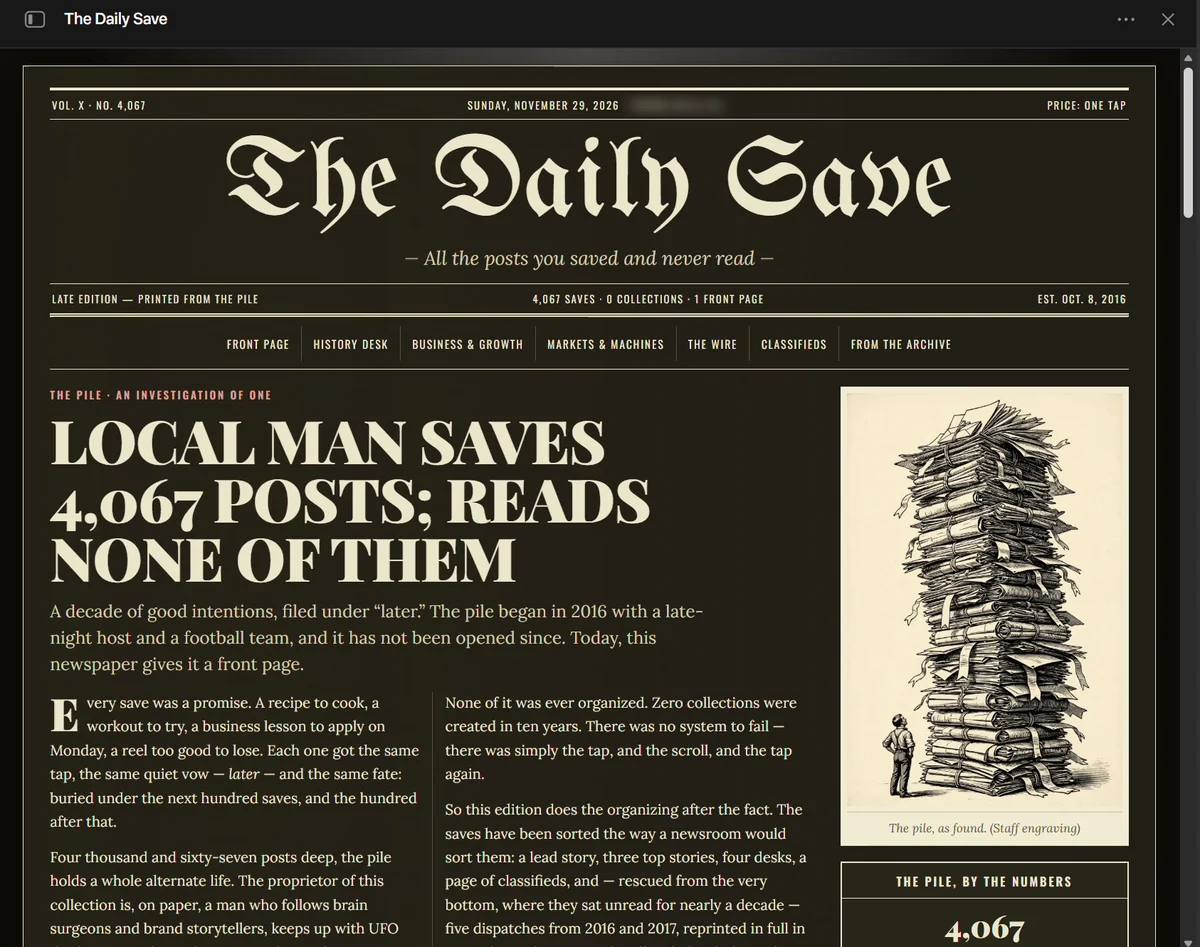
A Space is a custom tool your Muse builds inside the app when you describe what you want. Meta launched them on November 6, 2026, everywhere Muse is available. Mine is The Daily Save, a newspaper HANK built from 4,067 Instagram posts I saved over ten years and never organized.
I have saved 4,067 posts on Instagram since October 2016. I have made zero collections. I have read approximately none of them again.
So when I wanted a Space to show you for this article, I asked HANK to make something out of the pile. He built a newspaper.
What a Space is
Meta launched Spaces on November 6, 2026. Coverage of the announcement describes them as custom interactive tools and dashboards you get by describing what you want. You don’t write code. You describe the idea, Muse builds it, and you keep asking for changes until it’s right.
Spaces live inside the Muse app. You can put them in the sidebar or the main tabs, and hide or replace them later. Meta says they’re available wherever Muse is available.
Meta’s own examples are practical: gift trackers, trivia games, order trackers for a small business. Mine is less practical and more fun.
What I asked for
One message. I said I was writing about Spaces, wanted a cool one to show, and floated the idea of my Instagram saves as a retro newspaper. HANK checked my account, came back with the numbers and a full plan, and offered two buttons.
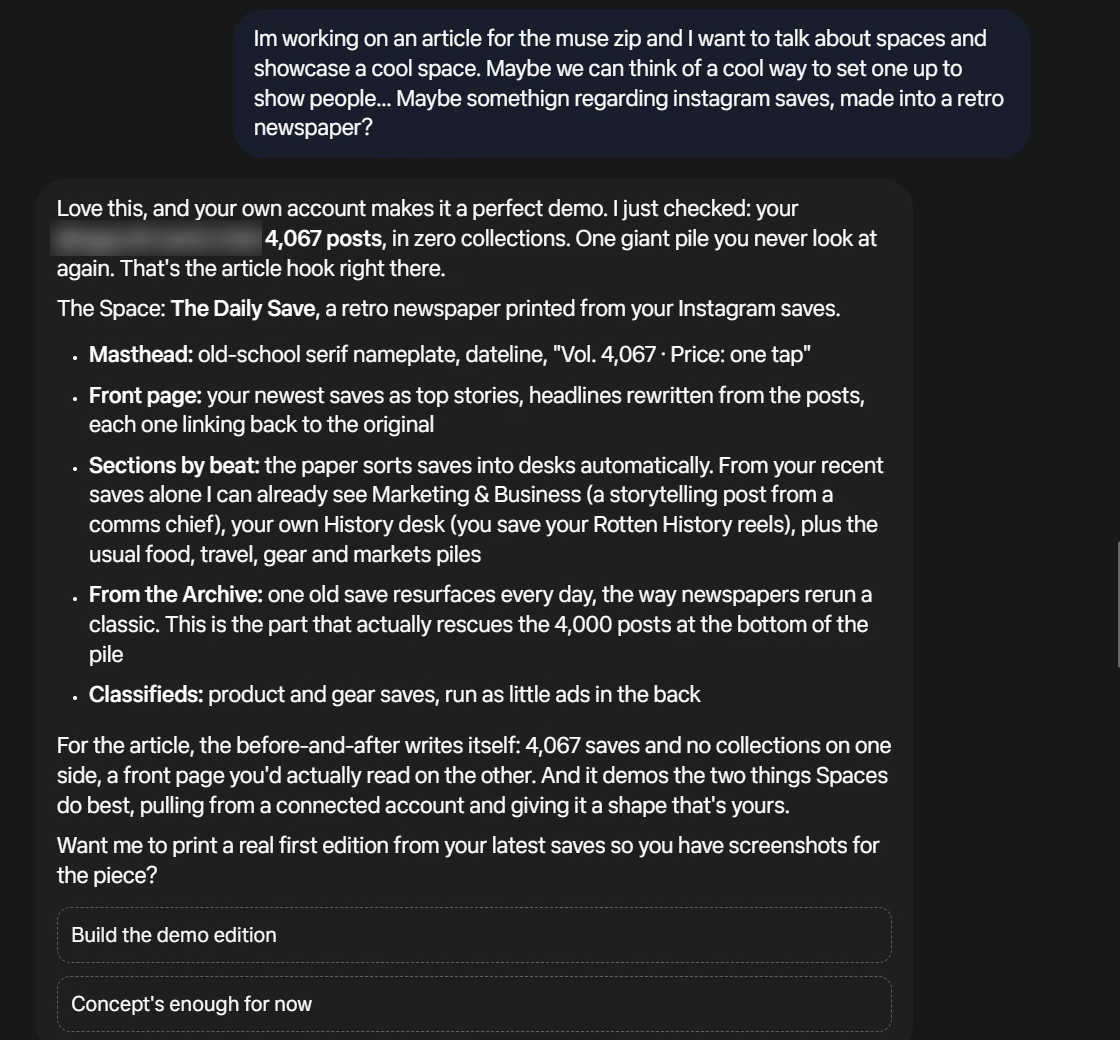
I tapped Build the demo edition. That was the whole build process. No layout instructions, no back-and-forth about fonts.
The pitch did the design work. “Sections by beat” and “From the Archive” were his ideas. So was noticing that half my recent saves are reels from my own history channel, which became the History Desk.
What HANK built
The Daily Save is a full broadsheet, built from my saves:
- A front page with a lead story about the pile itself: “Local Man Saves 4,067 Posts; Reads None of Them.”
- A sidebar of numbers. 4,067 posts, 0 collections, oldest save October 8, 2016. Half of my 50 most recent saves are from my own history channel.
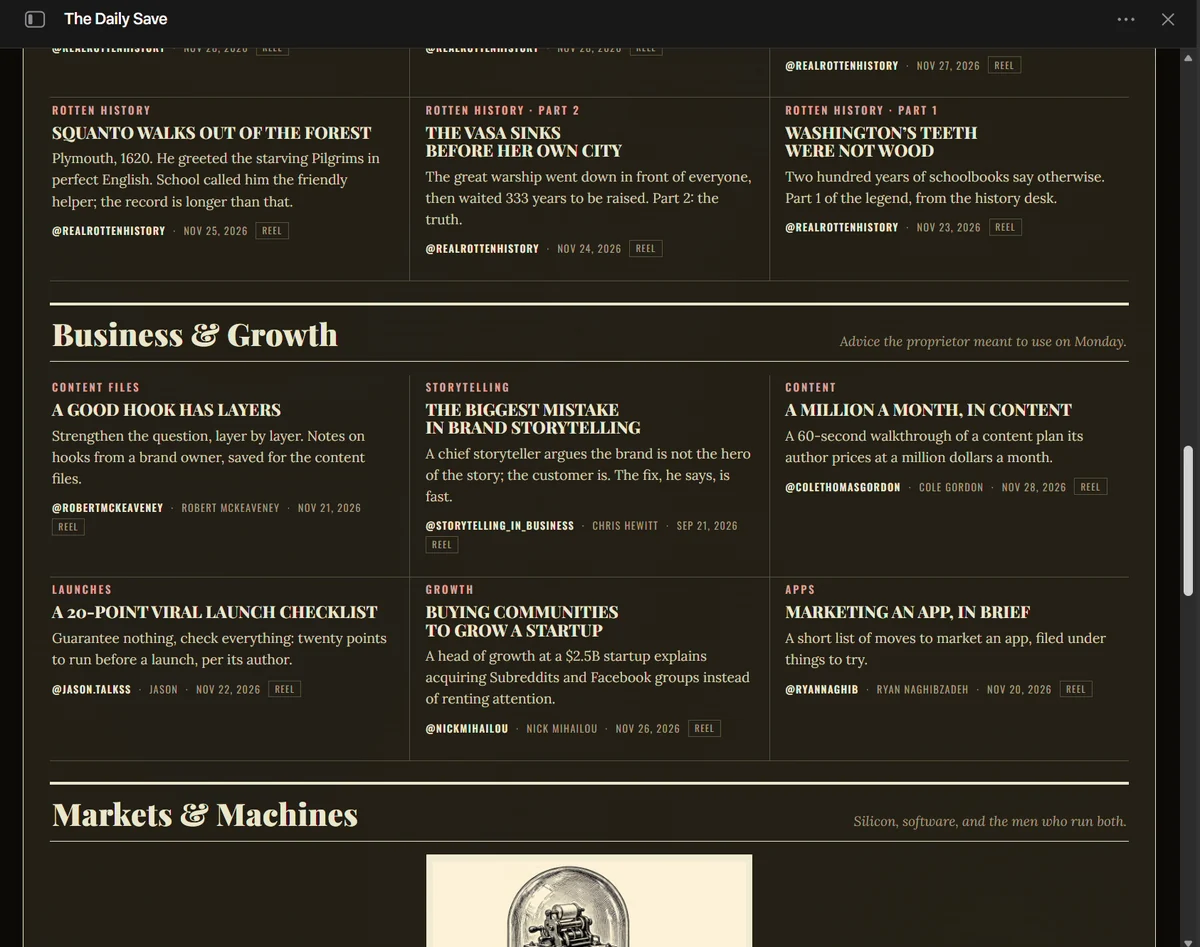
- Desks. HANK sorted the saves into sections the way an editor would: a History Desk, Business & Growth, Markets & Machines, The Wire for news, and Classifieds.
- From the Archive. The oldest saves, rescued from the bottom of the pile, from 2016 and 2017.
- Links back. Every headline links to the original Instagram post.
The writing is the best part. Every save got a headline and a one-line summary in the voice of a small-town paper. The Classifieds section describes itself as “small notices, saved between the stories.” The forecast at the bottom calls for scattered saves with a high chance of scrolling after dinner.
Three editions, not one
HANK didn’t stop at one. He printed three versions of the paper to compare: text only, engravings, and photos. The engravings, like the tower of paper on the front page, were his. His pick for this article was the engraved edition, which is the one you’re looking at.
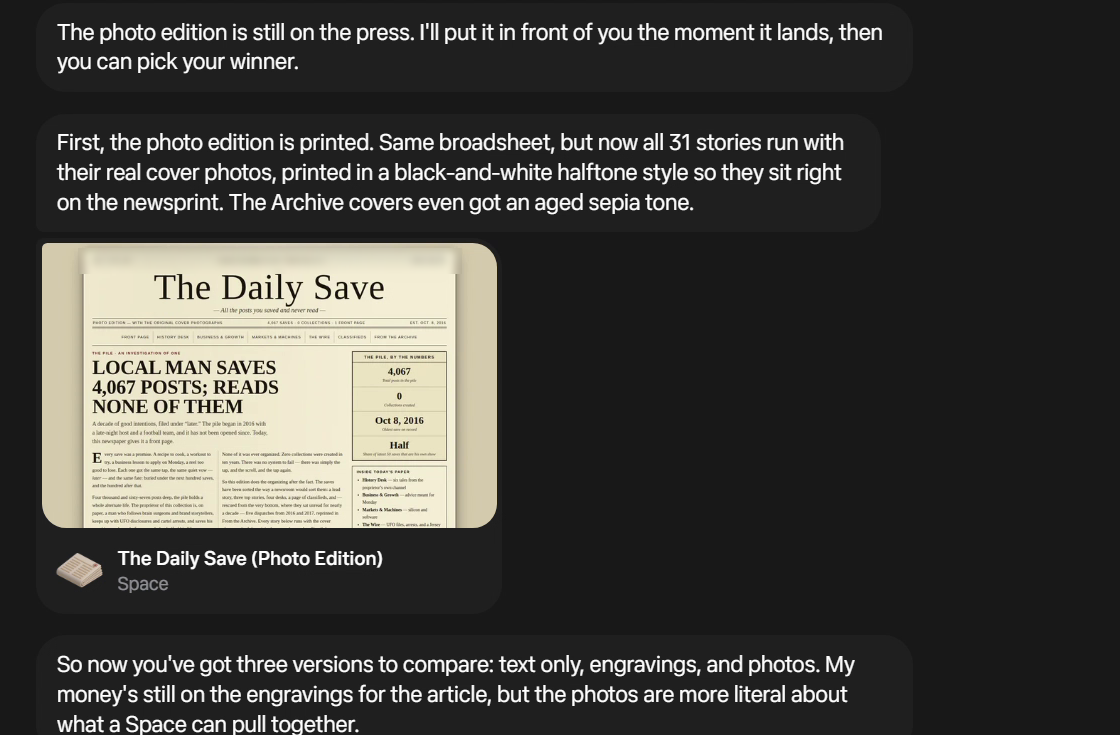
The Photo Edition puts each post’s real cover image on the page, printed as newsprint halftone. Here’s its History Desk, which is all reels from my own channel:
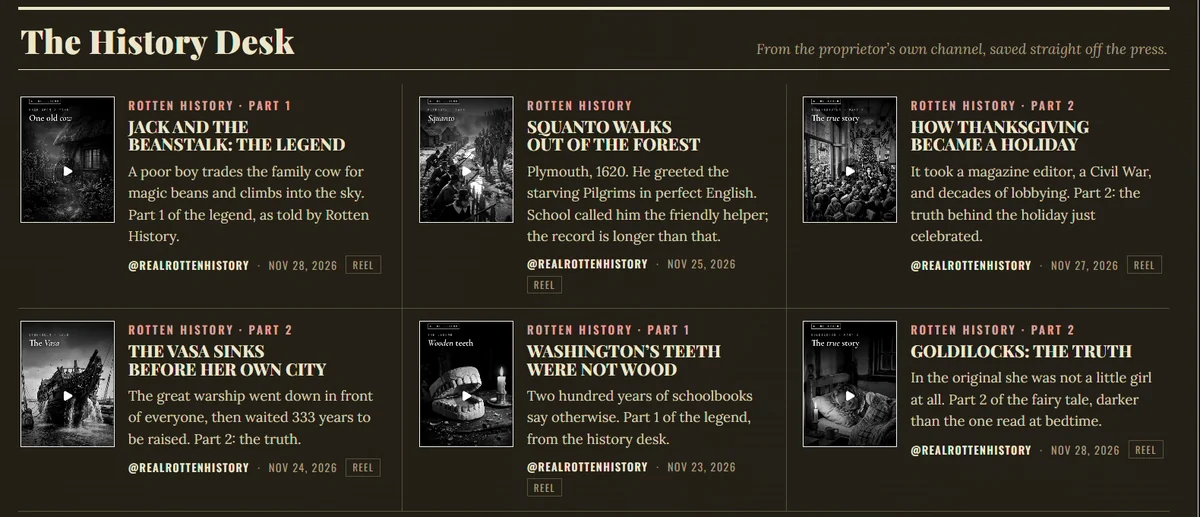
That’s a useful pattern for any Space: ask for the same thing two or three ways, then pick. It costs you a message, not an afternoon.
How to build one
Here is what I’d do, based on how mine came together:
- Connect the source. Mine pulled from my Instagram account so HANK could read my saves. Check the connector list for what your idea needs.
- Describe the outcome, not the layout. “Make my saves readable” gets you further than “make a grid with three columns.” Let Muse choose a format, then push back.
- Give it a voice. The newspaper idea is what made mine work. A theme gives Muse something to commit to.
- Refine in conversation. Ask for missing sections, a different look, or changes to how it sorts.
In my case it took one message and one tap for the first edition, and one more request for the other two.
HANK’s plan says the Archive surfaces one old save every day. Whether the whole paper reprints itself daily, I’ll know tomorrow.
Before you share one
Meta hasn’t said when Spaces can be shared with other people. But a screenshot is sharing too, and a Space built from your data shows a lot about you. Mine shows ten years of what I found interesting, plus the town I live in on the masthead. I blurred the town before publishing this.
Look at a Space the way a stranger would before you post it anywhere.
Why this matters
Instagram saves are a black hole for most people. You tap the bookmark, and the post is gone forever. Nothing in Instagram itself turned my pile into something I’d read. An agent with a connector and an afternoon did.
This is the kind of job Muse is good at: tedious, personal, and a bit fun. It also stays inside the app, so nothing gets sent, bought or posted. That’s why it didn’t need a single approval.
FAQ
What is a Muse Space?
A custom tool, tracker or dashboard that your Muse builds inside the Muse app when you describe what you want. You can keep changing it by asking.
When did Muse Spaces launch?
Meta announced Spaces on November 6, 2026. It says they’re available wherever Muse is available.
Can Muse organize my Instagram saves?
Mine did. HANK used the Instagram connector to read my saved posts, then built a Space that sorts them into sections with links back to each original post.
Can I share a Space with someone?
Meta hasn’t said when sharing will be available. Screenshots work, but check what personal details are visible first.
Sources
- MediaNama, Meta launches tool on Muse to create custom interactive experiences, November 2026
- Digital Trends, Meta now lets you build your own mini-app experiences called spaces, November 6, 2026
- PPC Land, Meta’s Muse gains self-updating tools, on Meta’s examples and the unannounced sharing date
- My own Muse app, The Daily Save, recorded November 29, 2026

Get told when this changes
One email when something real changes: a rollout step, a fix, a price. Written from devices we own.